PIC boards for hobbyists and DIYer
November 10, 2012 by sebastien.lelong

Programming Bee with PicKit 2 under Mac OSX

Just for the record, as I’ve been struggling for one hour about this… Problem is when download pk2cmd command line tool from Microchip website, included device file list doesn’t include PIC18F27J53.

$ ./pk2cmd -V -?P | grep PIC18F27J53

gives nada…

This procedure is the same as for Linux:

  • download an updated list from this forum
  • modify pk2cmd sources. Otherwise pk2cmd will complain about having to deal with a too up-to-date device list.
  • compile
  • test
Source to modify is cmd_app.h. The idea is to set a high compatibility number to fool pk2cmd when checking it.
static const unsigned char DevFileCompatLevel = 5;

becomes:

static const unsigned char DevFileCompatLevel = 255;

Re-compile pk2cmd, using “make mac105″. I’m running 10.7.5, but compiled result is working properly. Then re-check:

$ ./pk2cmd -V -?P | grep PIC18F27J53
PIC18F27J53                  PIC18F_J_


Check it’s connected:

$ ./pk2cmd -?V
Executable Version:    1.20.00
Device File Version:   1.62.00
OS Firmware Version:   2.32.00

You then easily program an HEX file:


$ ./pk2cmd -Fjaluino_bee_blink.hex -PPIC18F27J53 -M
PICkit 2 Program Report
10-11-2012, 10:54:53
Device Type: PIC18F27J53

Program Succeeded.

Operation Succeeded
  •   •   •   •   •
June 16, 2012 by sebastien.lelong

Configuring JalEdit for Jaluino

JalEdit is a dedicated Jal IDE, running under Windows. JalPacks exist, where JalEdit is combined with Jallib library set, for minimal setup and maximum experience… JalEdit currently doesn’t provide packs including Jaluino. Following are instructions explaining how to setup JalEdit to properly work with Jaluino.

I’m assuming you’re living at the cutting edge of Jaluino, meaning you’re using sources directly from SVN. You can follow instructions here. Simple: install a SVN client, such as TortoiseSVN, and “check out” Jaluino repository, Jaluino is then up-to-date, at most. Repository is composed with two main entries regarding Jal libraries. One is refering Jaluino-specific libraries, and lies into “lib” directory. Another is about Jallib repository itself, and this times is located in “3rdparty/jallib_svn/include”. This is actually a link, a reference to Jallib SVN repository itself. This means when you “update” your SVN repository, both Jaluino and Jallib will get updated. This is the simplest way to keep up-to-date on both projects at the same time.

Read the rest of this entry »

  •   •   •   •   •
March 24, 2012 by sebastien.lelong

Make a wish to support Jaluino

I made a wish on Seeedstudio’s Wish platform: have Jaluino Bee board manufactured and listed at Seeedstudio, the next big step for this project.

If you want to support Jaluino Bee, vote for this whish, it could come to reality!

Cheers, Seb

  •   •   •   •   •
January 14, 2012 by sebastien.lelong

Batches underway !

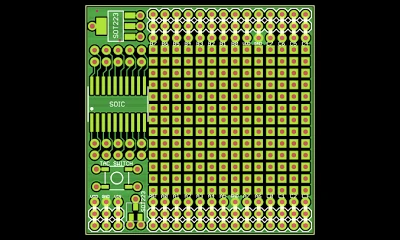
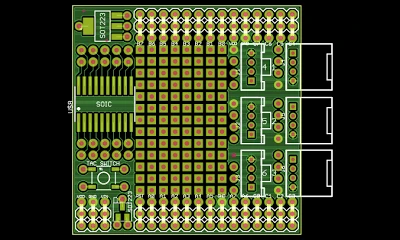
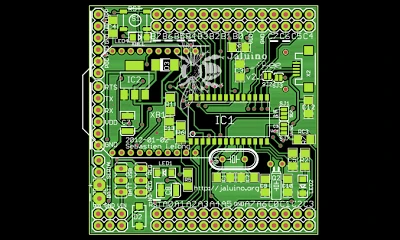
After several month working of Bee improvements, new PCBs for Jaluino Bee v2.1 have been ordered from SeeedStudio. Several other PCBs have been ordered as well: some more Mini-Crumboard, and a new shield, Mini-ProtoGrove. I’ll post more about all of this when I get PCBs and build new Bees. In the mean time, you can have more details in forums and pre-order PCBs:

  • Jaluino Bee v2.1
  • Mini-Crumboard v1.0
  • Mini-ProtoGrove v1.0
  •   •   •   •   •
November 26, 2011 by sebastien.lelong

Troubleshooting SD memory cards

This is a recurrent issue: “my SD card won’t work, I tried the sample, I triple check hardware, it just won’t work”. The main problem here it’s hard to get feedback and report it to jallib library’s author (namely Matt). Different issues were previously found:

  • some brands seem to work better than others. For instance, SanDisk is reported to work nice, whereas there seems to have troubles using Kingston’s.
  • some SD cards will require pull-up resistors, some won’t.
  • and SDHC, high capacity SD card, aren’t supported.
Read the rest of this entry »
  •   •   •   •   •